Turn your website into a week of social posts and an SEO keyword plan with Allable
Most founders know they should post more often and publish content that ranks. The trouble is the time it takes, and the guesswork about which keywords people actually search for. Social posts get written in a rush between other jobs, and SEO gets pushed to "next month" indefinitely.
This guide walks through two workflows in Allable that each take a few minutes. The first turns your website URL into a set of social posts with visuals and captions, ready to publish on a schedule. The second gives you a keyword analysis built on real search data, so you know exactly what to write about next. By the end you'll have a week of posts lined up and a short list of keywords worth targeting.
What Allable is
Allable is an AI workspace built for marketers. Instead of a blank chat window, it combines marketing logic with direct connections to your real accounts, including Google Ads, Google Search Console, GA4 and Meta Ads. It also works with actual keyword data, such as monthly search volume.
That's the main difference from asking a general chatbot for marketing help. A chatbot can only guess which keywords matter or how a campaign is performing. Allable works from the numbers in your accounts and from real search data, so its suggestions are grounded in what's actually happening.
Allable covers a lot of ground in one place. It handles Google Ads, SEO content, Meta Ads, social posts, competitor analysis and reporting, and it has 300+ plugins. It also connects to WordPress, Facebook, Instagram, X, TikTok, YouTube, Pinterest, Shopify and Mailchimp, and it writes content in 16 languages. For images, it can use models including DALL-E 3, Flux 1.1, Ideogram 3 and Stable Image.
Who it's for
Allable suits founders who do their own marketing, small teams without a dedicated marketer, and agencies or freelancers who manage marketing for clients. It's built for team work. You can set permissions for specific people or projects, share assets internally, and give clients access to finished work through a simple link. A structured file system keeps assets organized, so you're not digging through chat history to find last week's posts.
Before you start
- Start the free trial. Allable offers a 7-day trial with full access to every tool and 750 credits. A card is needed upfront, and the plan you pick starts automatically on day 7, so set a reminder if you only want to test it.
- Create a project for your business. If you manage several brands, give each one its own project.
- Connect your accounts. To publish posts directly, connect your social accounts. For the SEO and reporting side, connect Google Search Console and GA4. You can skip this step and still generate everything, then copy it out by hand.
Workflow 1: Social posts from your website URL
This workflow uses your website as the brief. Allable reads what your product does and who it's for, then creates visuals and captions to match.
1. Ask for the visuals. In the chat, paste a prompt that includes your URL, for example: "Create social media post visuals for https://yourwebsite.com that show what the product does and who it's for."
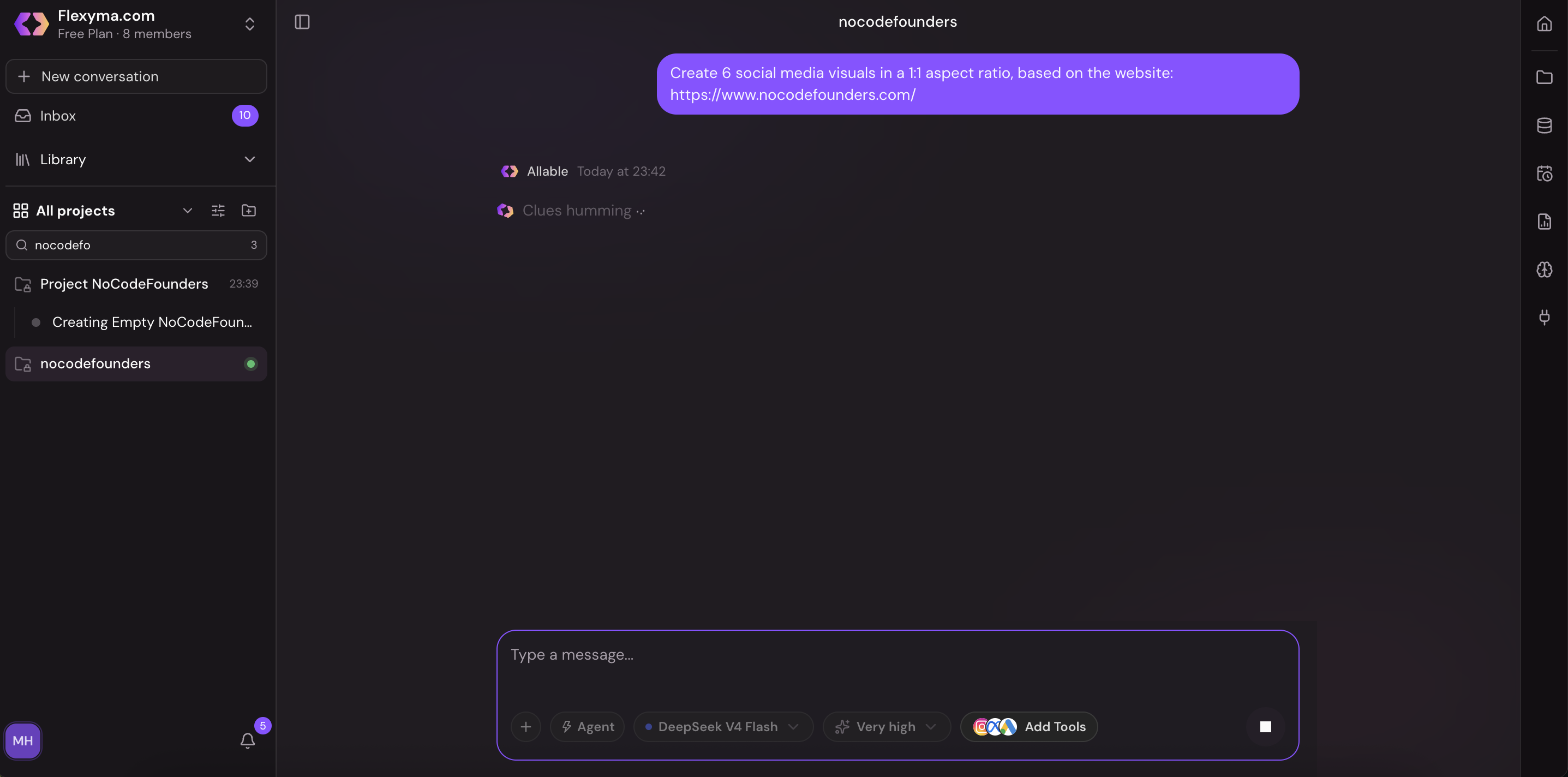
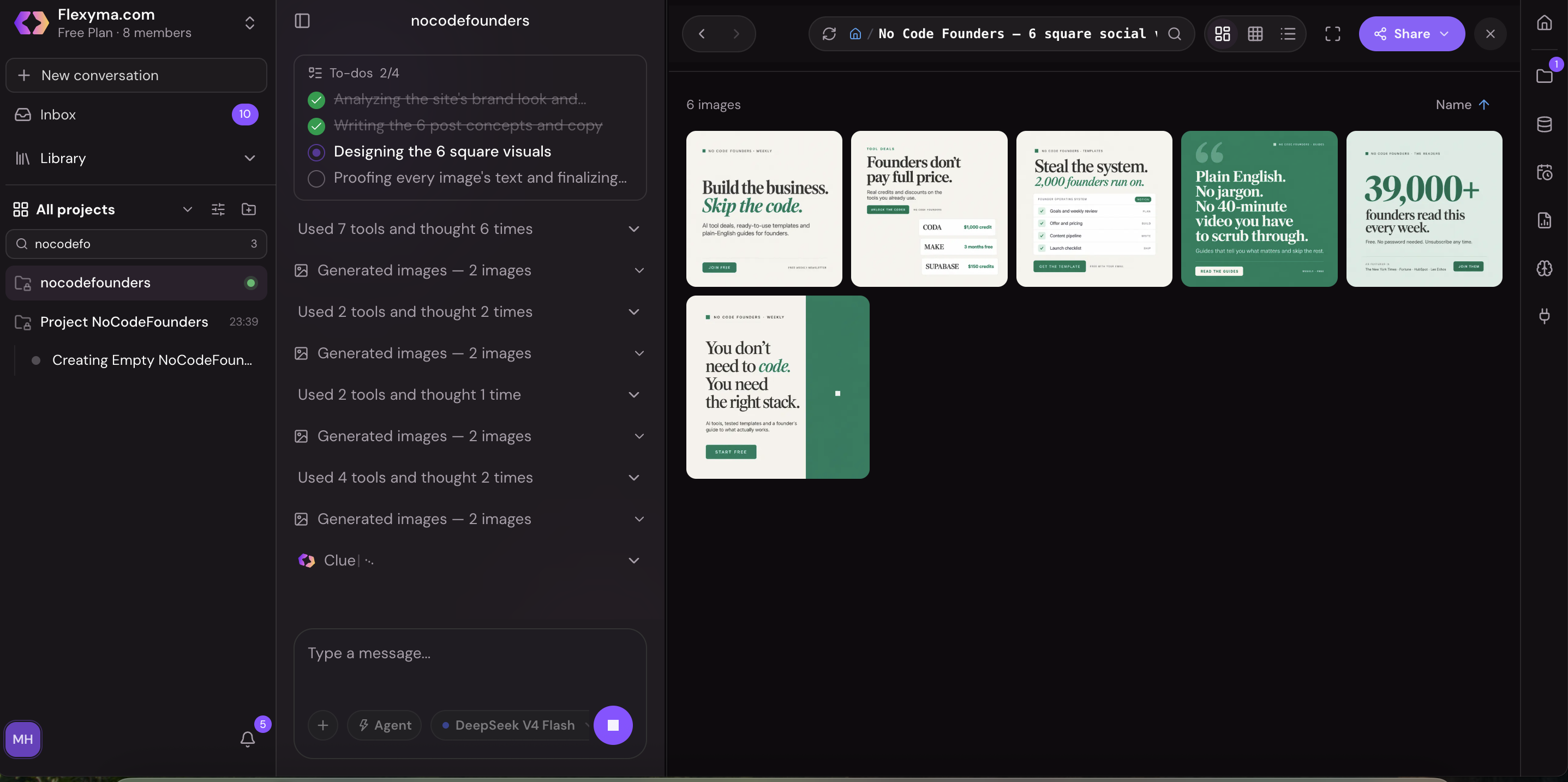
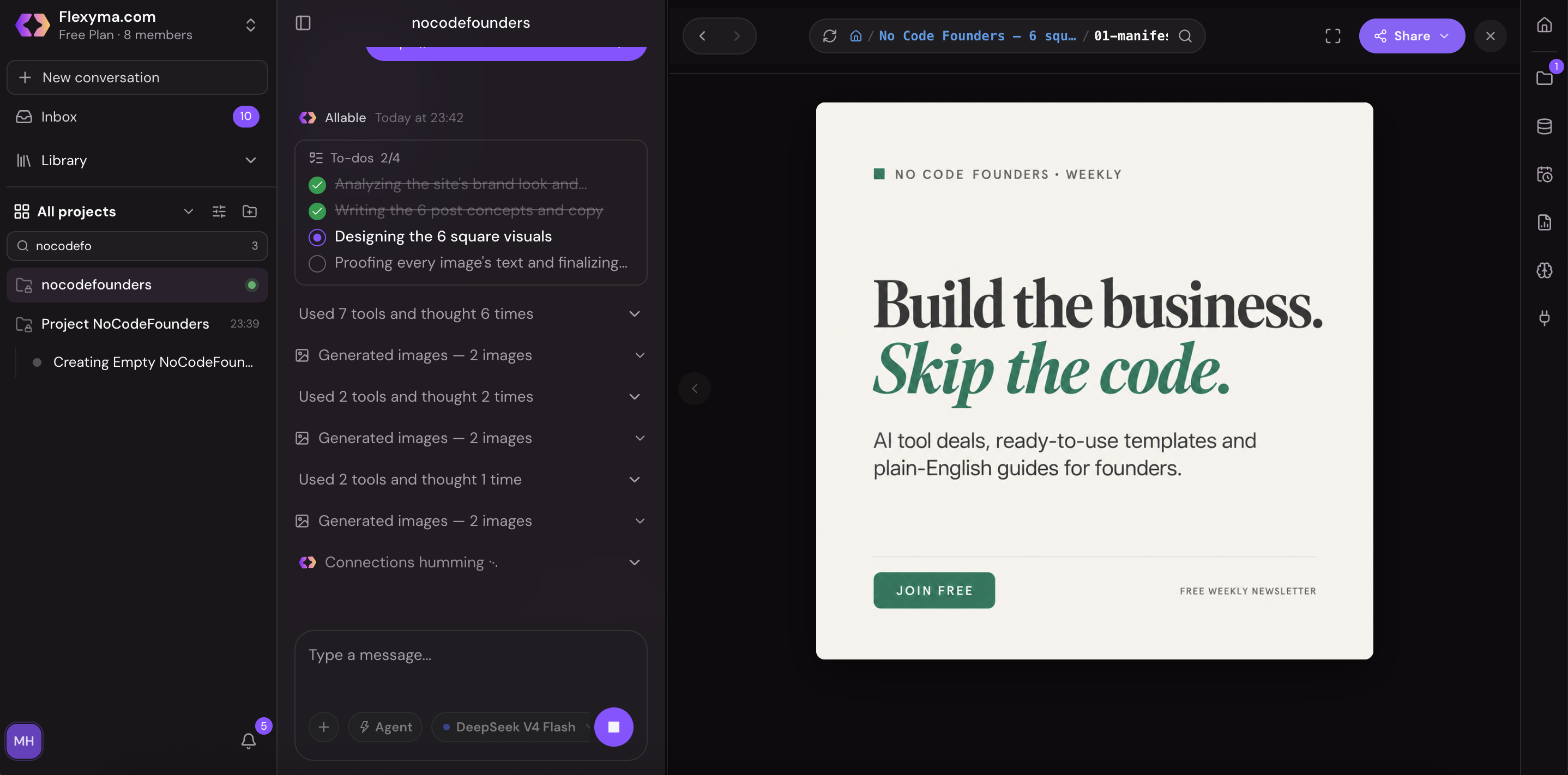
2. Review and refine. Look through the visuals and ask for changes in the chat. You might ask for a different layout, a stronger headline on the image, or a version sized for a different platform. The more specific your instructions, the better the result, and a couple of rounds of iteration usually gets you there.
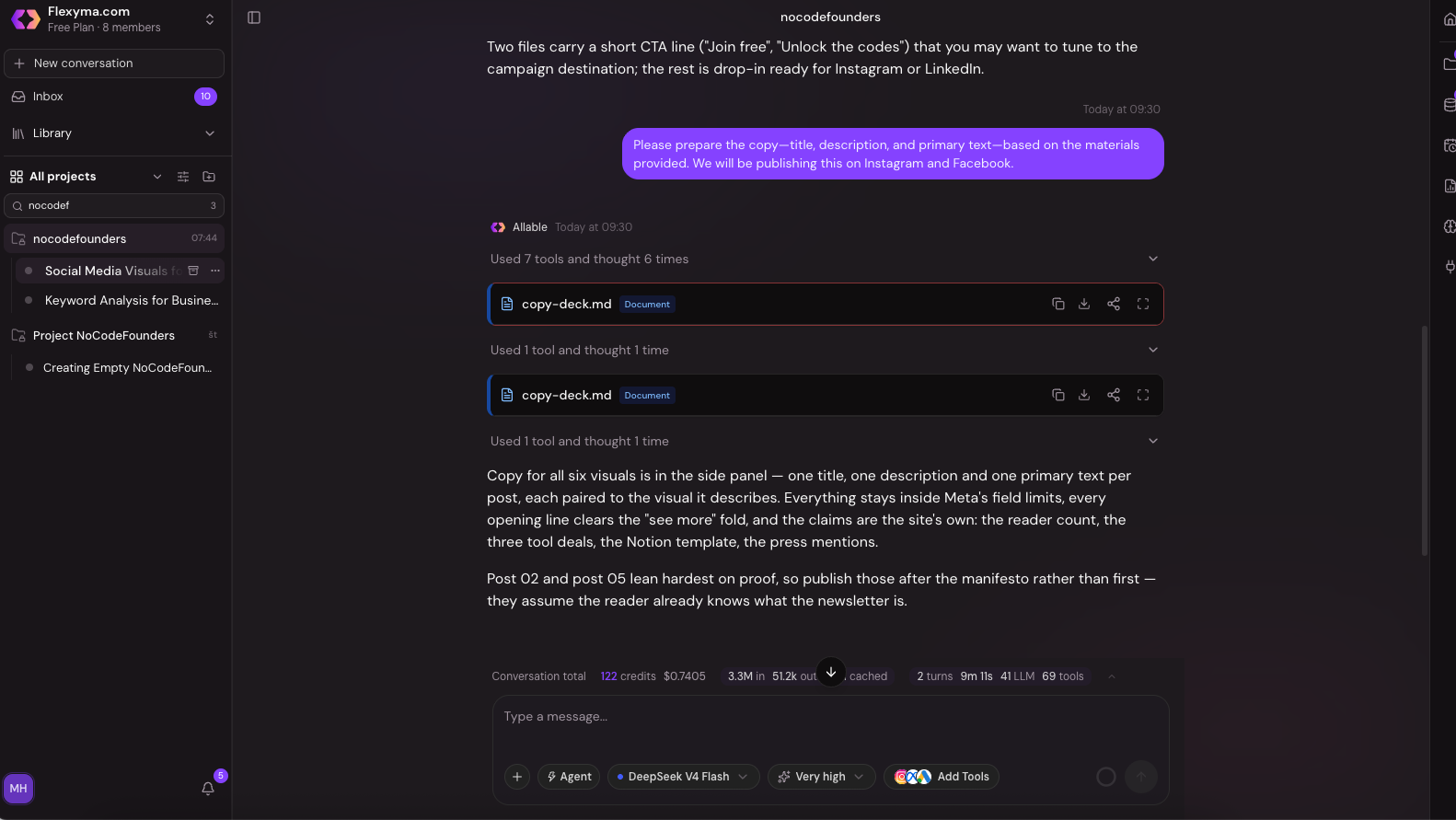
3. Write the captions. Send a second prompt for the text, for example: "Write a post description for each visual, with a clear call to action." Add any detail about your audience or tone of voice that you'd normally give a copywriter.
4. Edit the details. Make final changes in the chat, or switch to the text and HTML editor if you'd rather edit directly.
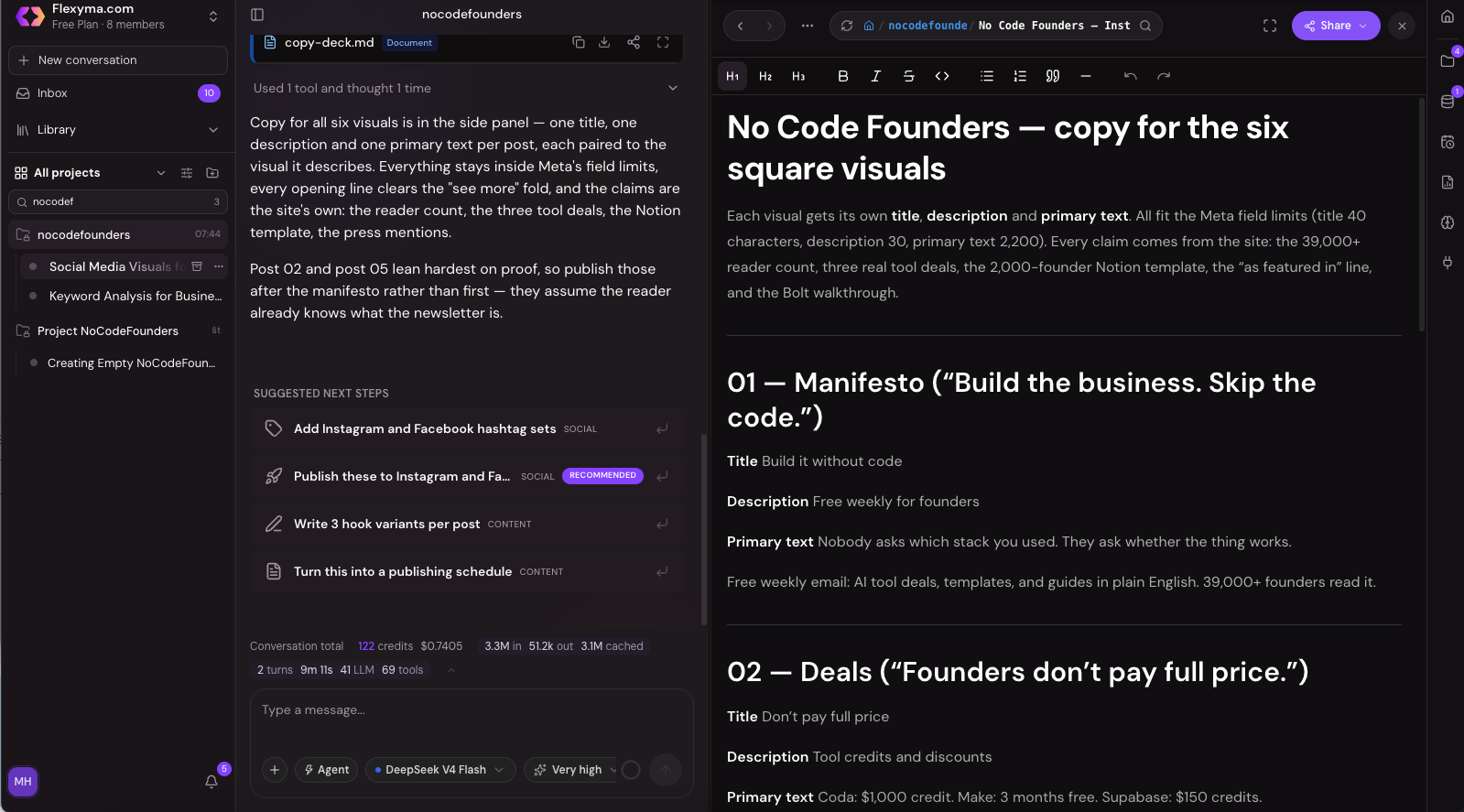
5. Publish or schedule. Click Publish and choose when each post goes out. With your accounts connected, Allable posts them for you.
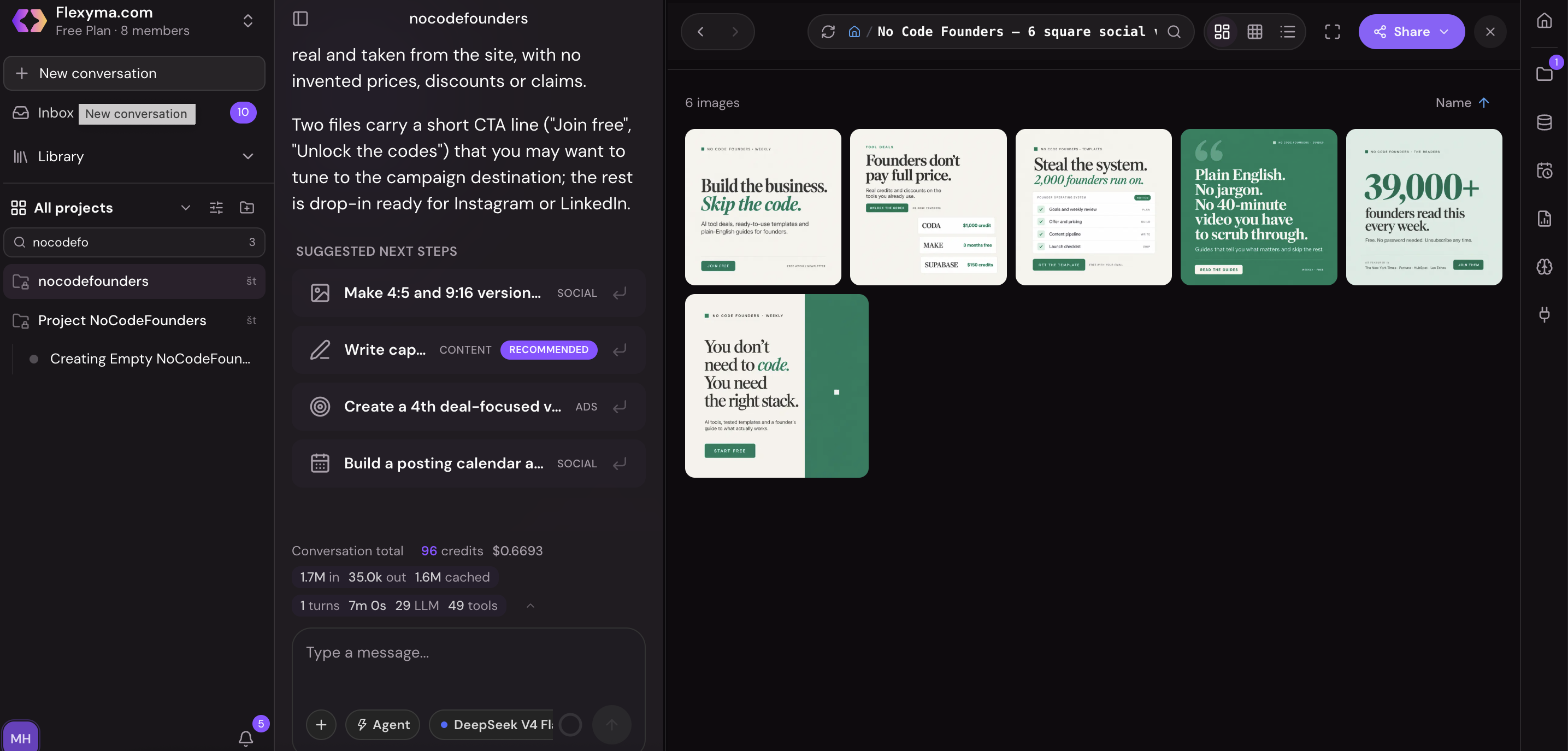
We tried this on nocodefounders.com. The whole process, including generation, took a few minutes using three short prompts. You can see the posts it made here and the post text here.
Tips for better posts
- Point it at a specific page, such as a feature page or a recent launch, rather than your homepage, when you want posts about one thing.
- Ask for a mix of formats in one go, such as a tip, a customer problem and a product feature, so the week doesn't feel repetitive.
- Tell it which platform each post is for. A LinkedIn caption and an Instagram caption shouldn't read the same.
Workflow 2: A one-click SEO keyword analysis
This workflow tells you what your customers are searching for, using real data instead of guesses.
1. Start the analysis. From the main screen, start a keyword analysis.
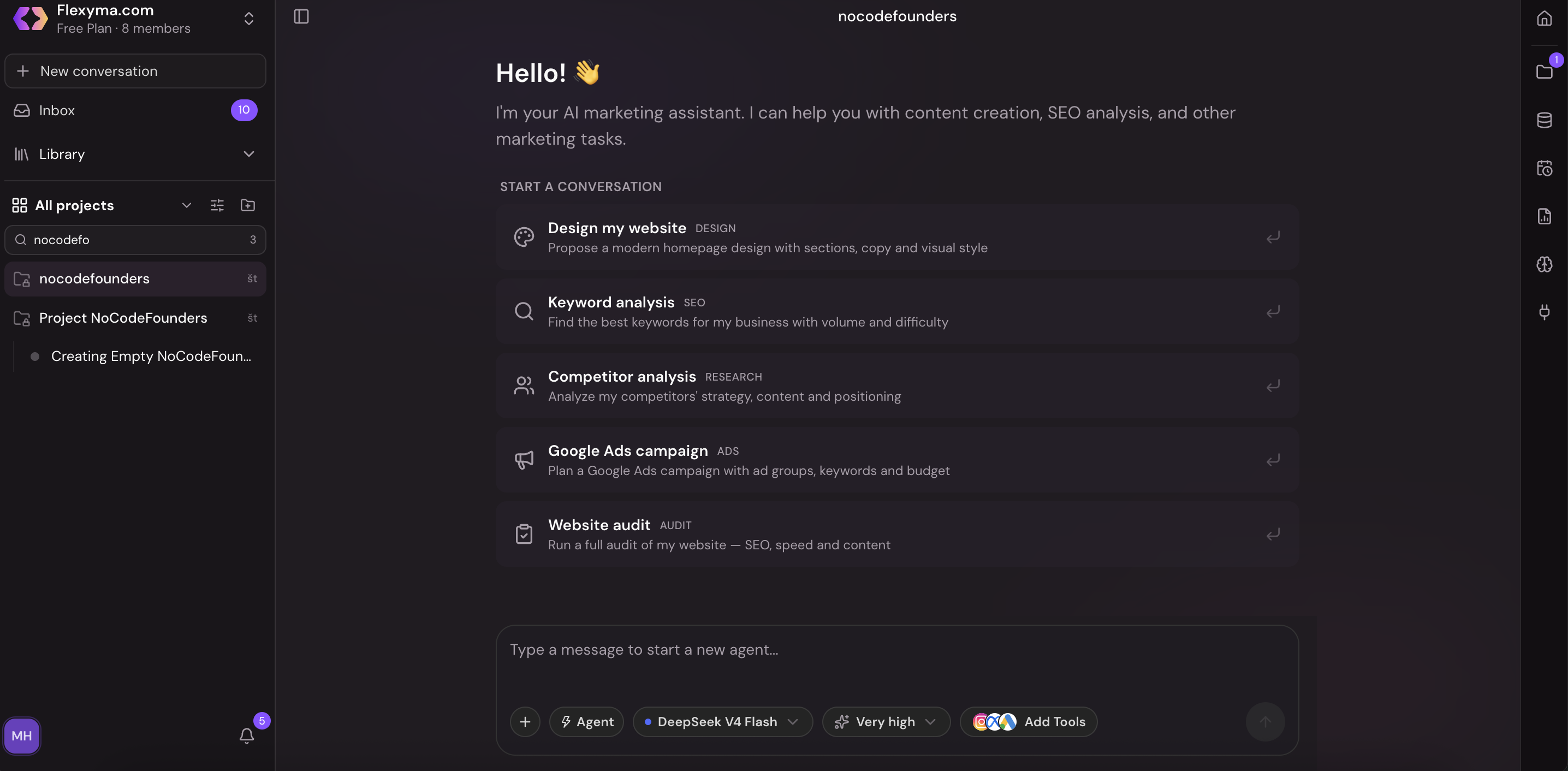
2. Enter one simple prompt with your URL, for example: "Run a keyword analysis for https://yourwebsite.com."
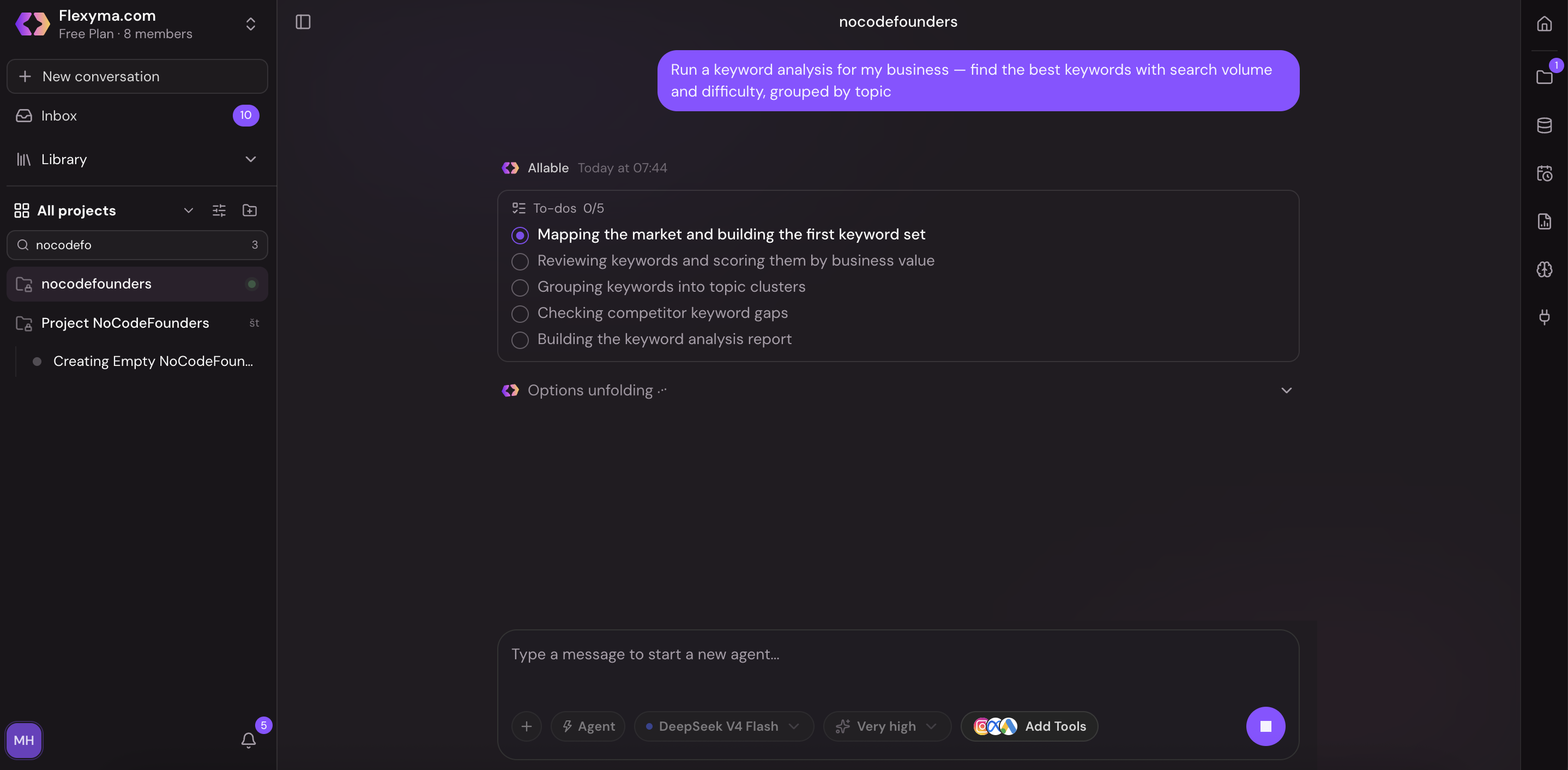
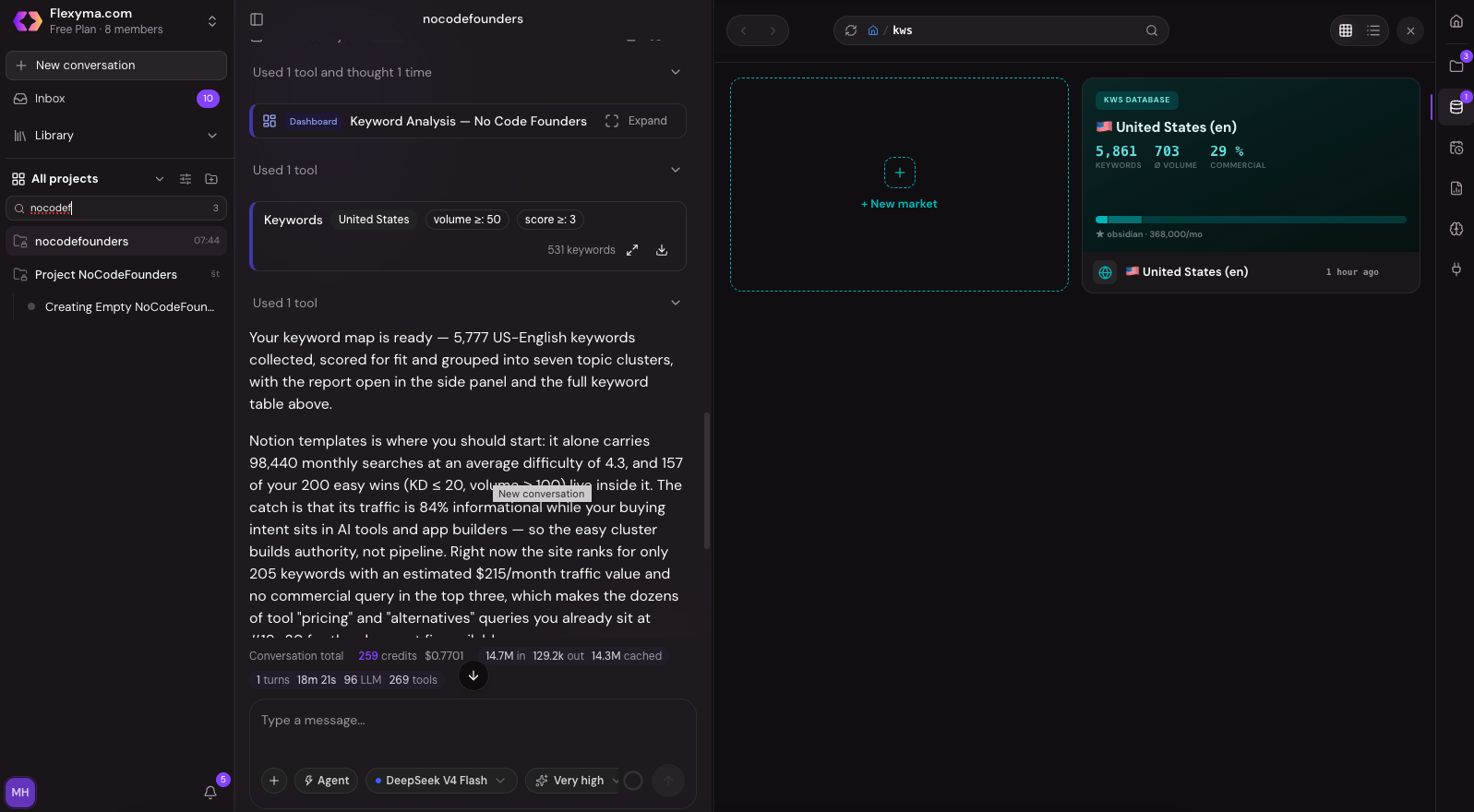
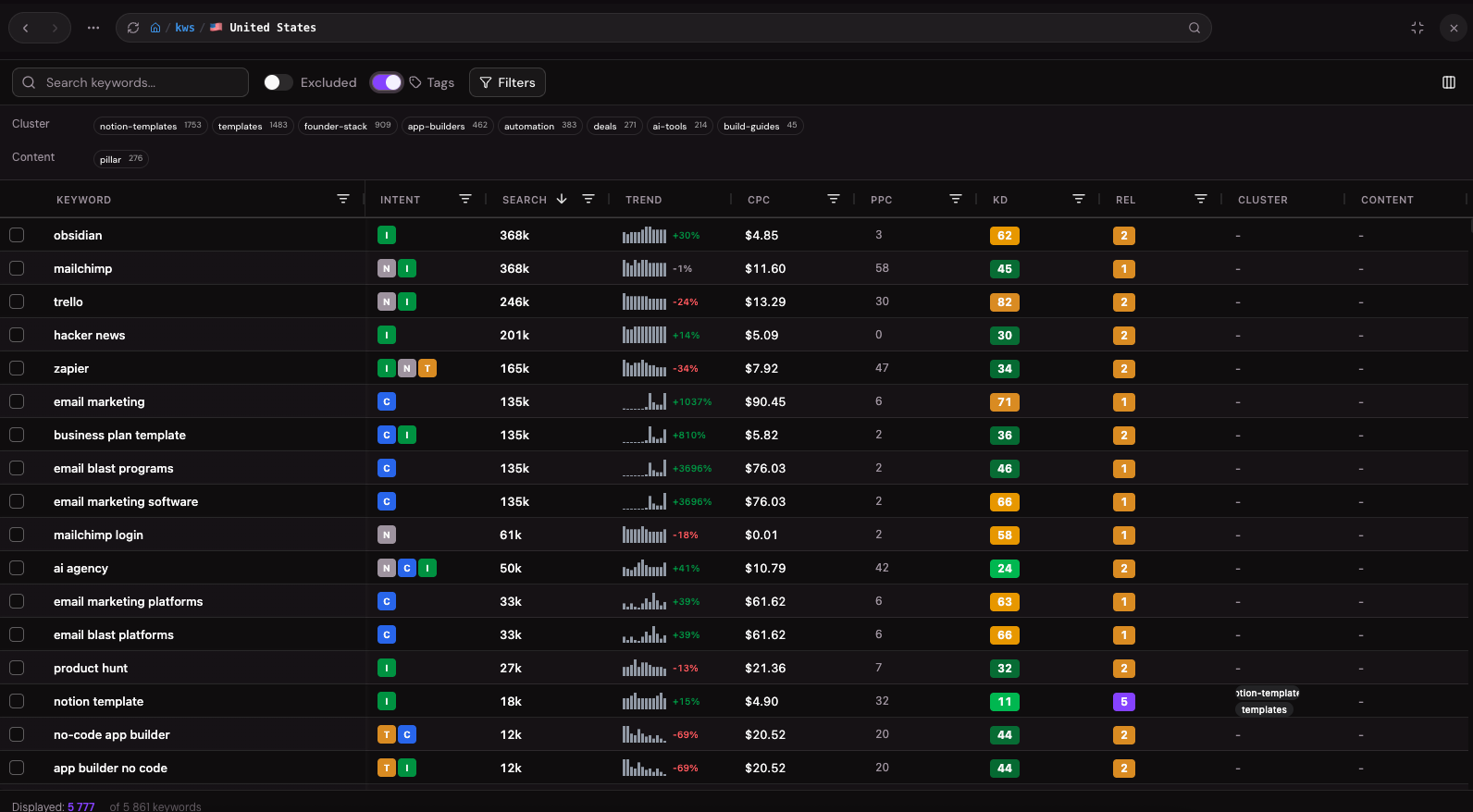
3. Review the results. Allable returns a list of keywords with real metrics such as search volume. You can export the list as a CSV if you want to sort it or share it.
4. Pick your targets. Choose a handful of keywords that match what your customers actually search for and that you can realistically write about. Phrases with a clear intent, such as "how to" or "best tool for", are usually the easiest place to start.
5. Turn them into content. Ask Allable to create content briefs or full articles for the keywords you picked.
Allable can take that content all the way to your website, including images and meta tags, and it publishes directly to WordPress. That means the keyword list becomes published pages rather than a spreadsheet you never open again.
Tips for better keyword work
- Run the analysis on a competitor's site as well as your own to find topics they rank for that you haven't covered.
- Connect Google Search Console so Allable can see which keywords you already get impressions for. Improving a page that's close to ranking is often faster than writing a new one.
- Keep each article focused on one main keyword. It's easier to rank and easier for readers to follow.
Going further
Once these two workflows are running, Allable can take on more. Its biggest focus beyond SEO and social is Google Ads. It can handle keyword analysis, campaign launch, optimization and reporting, and it can automate routine jobs like excluding negative keywords or generating a weekly campaign summary. If you run Meta Ads, it covers those too, with reporting across both.
What it costs
Plans start at €99 a month for Pro, which includes 2,500 credits. Allable estimates that's enough for around 130 content pieces, 100 keywords researched and 200 AI images a month. Business is €199 and Scale is €399, with more credits on each. Unused credits roll over, yearly billing charges for 10 months instead of 12, and you can cancel anytime from your account settings.
An offer for NCF readers
Use the code NoCode35 for 35% off your first three months.
What to do this week
- Start the trial and connect your social accounts and Google Search Console.
- Run Workflow 1 on your homepage or a key feature page, and schedule the posts you like for the next week.
- Run the keyword analysis on your site and on one competitor, then pick three keywords to target.
- Turn one of those keywords into an article and publish it before the week is out.
This guide is sponsored by Allable.
Related guides
Supabase vs Firebase: Which Backend Should You Use in 2026?
A Postgres database or a document database: how the two compare on data model, free plans, pricing, AI app builders and security, and which one fits your app.
ChatGPT Pro and Business now include up to $500 a month in API credits. Here's how to spend them on GPT-6.1 Terra
OpenAI started giving eligible Pro and Business subscribers free monthly API credits on October 28, two days after launching GPT-6.1 Terra at half the price of Sol. Here's how to claim them, point your automations at them, and avoid losing them.
Framer vs Webflow: Which Website Builder Should You Use in 2026?
How the two visual website builders compare on editing, CMS limits, team seats and price, and which one fits a startup site, a content site or an agency.