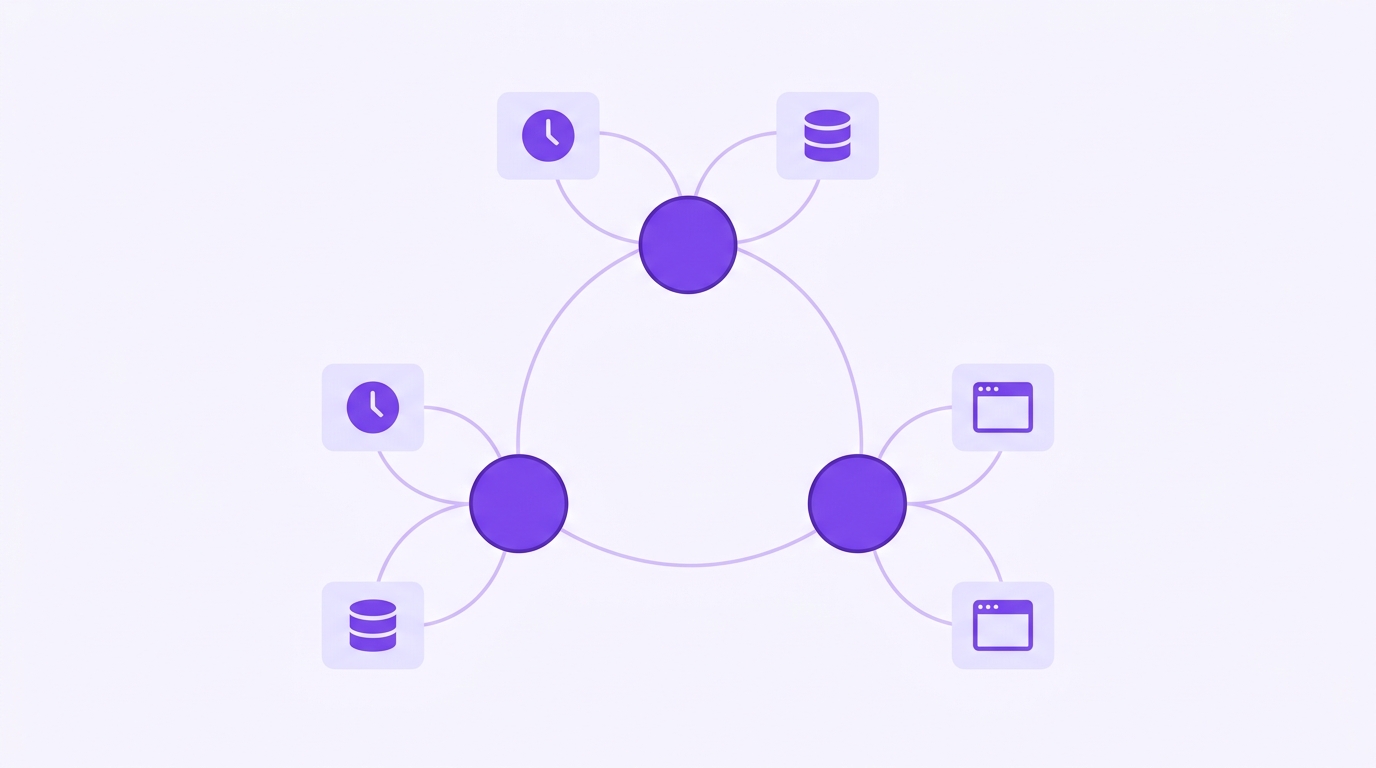
How to Build Actionable AI Agents with Rierino
AI agents are rapidly moving from experimentation to everyday operations, but most tools still fall short when projects need to scale, adapt to complex workflows, or operate across multiple systems.
Rierino is a secure low-code development and orchestration platform that helps teams design, connect, and scale backend logic. It’s used across industries for everything from commerce platforms to data orchestration, and it also provides a strong foundation for building AI agents without the overhead of building every integration and workflow from scratch. With Rierino Core and AI Agent Builder, you can create agents that interpret context, make autonomous decisions, and act across both digital and physical environments.
In this hands-on guide, we’ll show you how to create actionable AI agents with Rierino—agents that go beyond responding to prompts to actually deciding, orchestrating, and executing. You’ll learn how to:
-
Shape an agent’s brain with models, memory, and prompts
-
Add decision-making with rules, flows, and fallbacks
-
Integrate seamlessly across APIs, queues, and legacy systems
-
Connect to the physical world with Web of Things
-
Ensure security and governance at every step
By the end, you’ll have a practical, adaptable blueprint for building AI agents ready for production, and not just prototypes.
Step 1. Shaping the Mind of Your AI Agent
Before your agent can make decisions or act, it needs its core intelligence — the combination of the right model, memory, and instructions. Many of these settings have sensible defaults, so you can adjust only what your use case requires. Here’s how to set it up:
-
Choose from leading LLMs: Select the AI provider that will power your agent’s reasoning. Rierino supports OpenAI, Anthropic, Amazon Bedrock, Azure OpenAI, Google Gemini, Hugging Face, Mistral, and more, so you can match your use case to the best available model.
-
Add memory: Give your agent the ability to retain context across steps or sessions. Configure a memory name and size so it remembers only what’s useful, from short-term task details to longer-term reference points.
-
Adjust model parameters: Fine-tune behavior by setting API keys, temperature (creativity vs. precision), max tokens (response length), and other model-specific controls.
-
Define the agent’s role and style: Instruct it on what it’s an expert in, how it should communicate, and which data sources it should always consider. This could range from “technical support assistant for our SaaS platform” to “multilingual product copywriter for our ecommerce catalog.”
-
Set rules and constraints: Tell the agent what to avoid, what to prioritize, and how to format outputs. For example: “Always cite sources,” “Never reference competitor brands,” or “Use British spelling.”
-
Create prompt templates for common tasks: Store reusable instructions for recurring workflows so you can launch them instantly without retyping complex prompts.
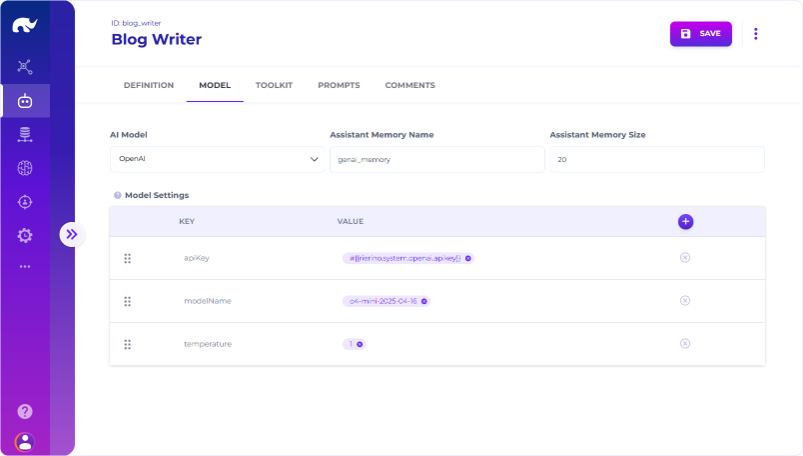
By shaping your agent’s mind in this way, you create a foundation that combines intelligence with purpose. An ecommerce founder might configure an agent to generate product descriptions in multiple languages using the same brand voice. A small marketplace team could set up an agent to enrich vendor listings with SEO keywords, proper categorization, and consistent formatting. A SaaS startup might design one that analyzes competitor blogs, generates keyword-rich outlines, and produces multilingual drafts.
Step 2. Teaching Your Agent to Make Decisions
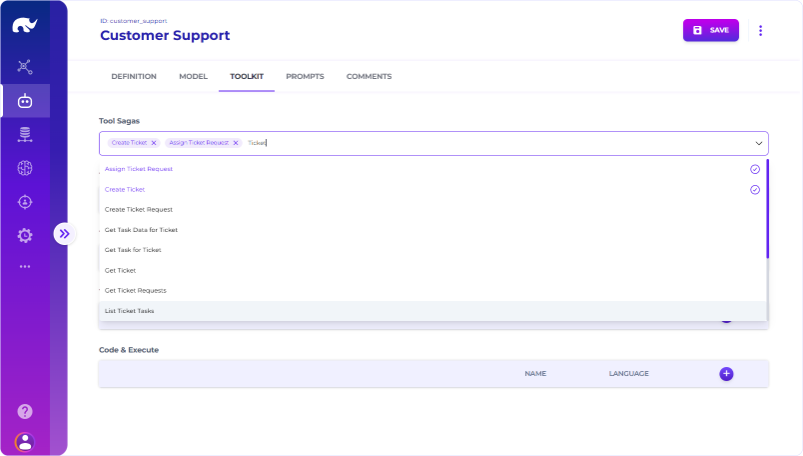
Once your agent has its “mind” set up, it’s time to give it the ability to act. In Rierino, this is done by assigning Tool Sagas, predefined or custom-built flows that describe what the agent is allowed to do.
-
Select from available sagas: From the Toolkit tab, choose one or more Tool Sagas your agent can use. These could range from ecommerce tasks (Add to Basket) to operational processes (Generate Invoice, Schedule Pickup), and system actions (Admin Login, Resolve Ticket, Send Email).
-
Use sagas for multi-step logic: A saga isn’t just a single API call. It can combine rules, service triggers, conditional flows, and integrations with multiple systems into a single, reusable unit.
-
Leverage existing APIs: Any API development you’ve done in Rierino can be added as a saga, so you don’t need to build separate action logic just for your agents.
-
Design complex orchestration: Sagas can connect multiple services in a chain, trigger events in response to conditions, or loop in decision-making steps. For example:
-
Categorize an incoming service ticket
-
Match it to the correct department
-
Send an automated acknowledgement email to the customer
-
Escalate if not resolved within SLA
By combining sagas with your agent’s intelligence, you give it the power to go beyond suggestions and actually execute. A support automation agent might close resolved tickets, update the CRM, and trigger billing adjustments, without human intervention, but always within the guardrails you define.
Step 3. Letting Your Agent Work Across Systems
An agent’s decisions are only as good as the data and tools it can access. With Rierino, you can connect it directly to both internal and external systems—no middleware or custom connectors required.
-
Connect to your data sources: With Tool States, you can link the agent directly to databases. This means your agent can fetch the latest inventory counts or pull real-time operational metrics without manual intervention.
-
Integrate with external systems: Tool Systems let you connect the agent to SaaS platforms, commerce engines, ERP systems, or messaging queues. For example, you could link to Shopify for product updates, SAP for order status checks, or Salesforce for lead enrichment.
-
Blend multiple inputs for richer actions: Your agent isn’t limited to one source at a time—it can combine operational data from ERP, content from a CMS, and transaction records from a payment gateway to drive more accurate actions. This could mean generating region-specific product bundles, flagging procurement delays based on multiple triggers, or recommending promotional campaigns tied to real-time sales trends.
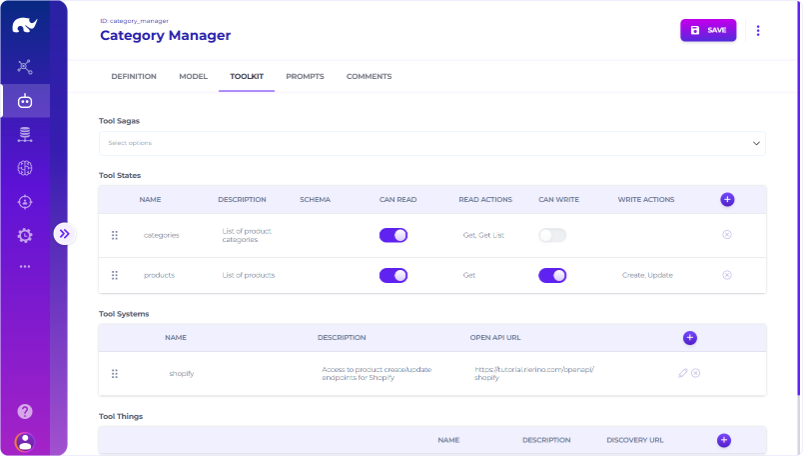
By wiring Tool States and Tool Systems into your agent’s capabilities, you’re enabling it to work seamlessly across both your internal infrastructure and the broader digital ecosystem, without needing separate integration tools or middleware.
Step 4. Bringing Your Agent Into the Physical World
With Tool Things, you can connect your agent to real-world devices using the Web of Things (WoT) standard, allowing it to discover, understand, and control physical assets just like it would a web API. All it takes is entering a name, description, and discovery URL for the device, and your agent can start interacting with it.
These devices can be as simple or as advanced as your use case demands:
-
Everyday convenience: Prompt the agent to start the coffee machine for your next meeting, or turn on the office projector before a client call.
-
On-site retail: Update in-store digital signage when a flash sale starts or when stock runs low.
-
Small-scale automation: Adjust workspace lighting or climate before a scheduled task begins.
-
Operational logistics: In a warehouse, trigger a label printer, open a smart lock, or direct a conveyor belt segment when an order status changes.
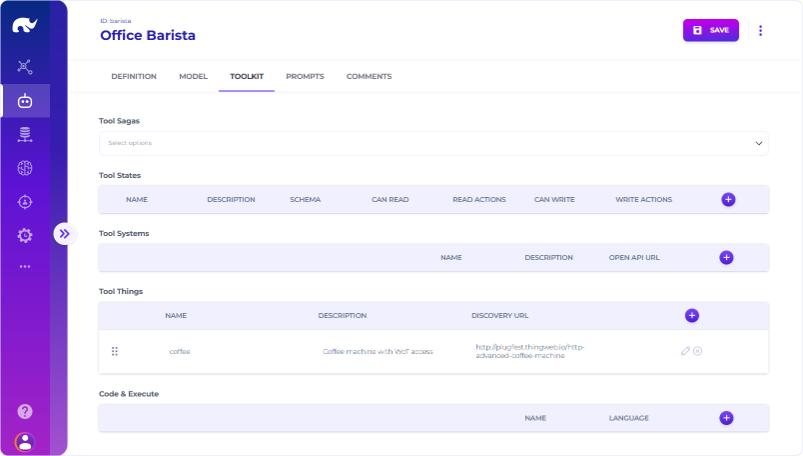
Because WoT devices integrate into Rierino’s orchestration layer, these actions can be embedded into the same sagas that handle your API calls, database queries, or business rules, creating agents that can bridge the gap between digital workflows and real-world execution without separate IoT middleware.
Step 5. Keeping Your Agent Secure and in Control
Once your agent is live, security, visibility, and scalability are what turn a working prototype into a dependable production tool. Rierino gives you the controls to protect sensitive operations, monitor what’s happening under the hood, and grow without hitting artificial limits.
-
Set role-based access (RBAC): Define user roles and permissions for every saga. These restrictions automatically apply when your agent calls them, ensuring it only performs actions you’ve explicitly approved.
-
Track every request and response: Enable the audit trail with a single parameter to log complete LLM activity, including input/output token counts, plus the exact requests and responses for every tool execution. This makes it easy to debug, optimize, or verify compliance.
-
Scale without constraints: Increase replica counts to run multiple agent instances in parallel, and fine-tune resource allocation per agent. You’re not bound by arbitrary usage caps, so you can scale up for peak demand or dial down to optimize cost.
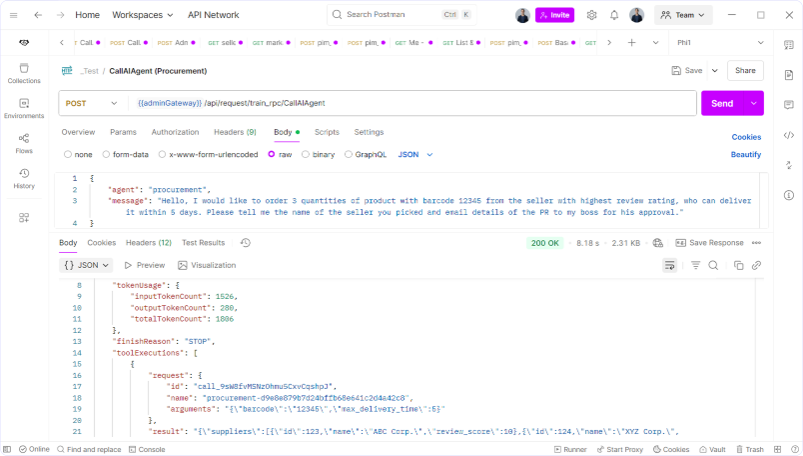
By combining granular permissions, full observability, and elastic scaling, you can confidently run AI agents in complex environments where governance and performance are non-negotiable. For example, a fintech startup could allow its billing agent to trigger only pre-approved payment workflows, log every action for auditing, and instantly add capacity during end-of-month invoicing. An ecommerce team might restrict a customer service agent’s access to specific order management functions, while still letting it handle thousands of concurrent requests during peak sales.
From Prototype to Production-Ready Agents
Building truly actionable AI agents isn’t just about clever prompts or connecting to an API. It’s about giving your agents the ability to understand context, make decisions, work across systems, and operate safely at scale. With Rierino, all of this happens within a secure, low-code environment that’s just as suitable for a growing startup as it is for an enterprise running mission-critical workloads.
Whether configuring LLMs and memory, orchestrating complex sagas, integrating external platforms, connecting to physical devices via Web of Things, or locking down access with RBAC and observability, the same platform provides both flexibility and control. And because Rierino’s architecture is built for orchestration, you’re not starting from scratch—you’re building on a foundation designed for scale from day one.
Those ready to explore further can dive into the technical documentation or check out designing systems for AI as a user for deeper architectural insights. You can also start building right away with Developer Lite on AWS Marketplace — including a 30-day free trial and an Architect Hour, exclusive to NCF members (full details in the Perks section). With the right tools, AI agents can move beyond prototypes to become some of the most capable, reliable components in any digital stack.
Related guides
GPT-6.1 Sol vs Claude Sonnet 5.5: which model for your builds
Two cheap frontier models landed within a week. Here is where each one wins, and how to switch without breaking your automations.
Jev explained simply: when to use it instead of ChatGPT
A plain-English guide to Jev, TypeSafe's new decision model: what it does, the jobs it handles better than an LLM, real examples from the first two weeks, and how to add it to a no-code workflow.
Stop using humans to run your Google Ads
A practical eight-step guide to setting up Betatron, the AI agent that builds and runs Google Ads campaigns inside your own account.