 Betatron
Stop using humans to run your Google Ads

Google Ads has always had a labor problem. The platform is fine. The expensive part is the person sitting in front of it: an agency on a retainer, a freelance media buyer, or you at 11pm moving bids around and hoping.
Betatron replaces that person with an AI agent. You give it your website, connect your Google Ads account, and it takes over. It reads your business and your entire campaign history in seconds, then builds the campaign structure, researches the keywords, writes the ad copy, and runs the whole thing day to day.
Two numbers matter here. On average, the Betatron agent performs 6x better than a human media buyer. And it costs about 15x less than hiring one.
The founders spent two years training and fine-tuning it for this one job. It works on brand new accounts with no campaigns yet, and it works on accounts that have been running for years and need cleaning up.
Here is how to set it up.
Step 1: Start a free account
Go to betatron.ai/start and create your account. There is no long-term contract and you can cancel from billing settings whenever you want. Your campaigns live inside your own Google Ads account the whole time, so nothing gets held hostage if you leave.
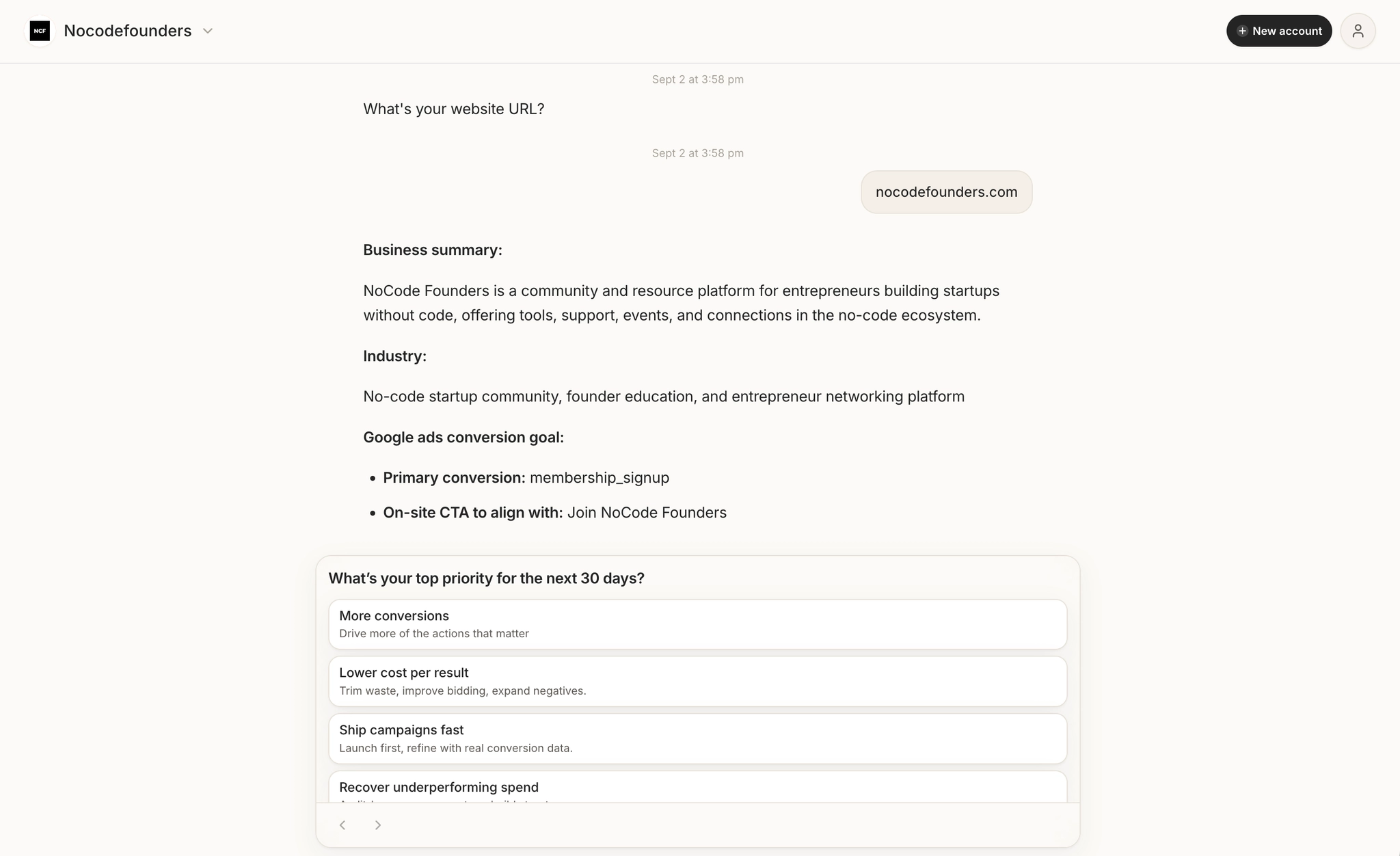
Step 2: Give it your website URL
This is the single most important input. Betatron crawls your site to work out what you sell, who buys it, how you price it, and which pages convert. That becomes the foundation for keywords, ad groups, ad copy, and targeting.
Make sure the URL you give it points to the site you actually want traffic sent to. If you have a separate landing page for the offer you care about, mention it in the onboarding chat.
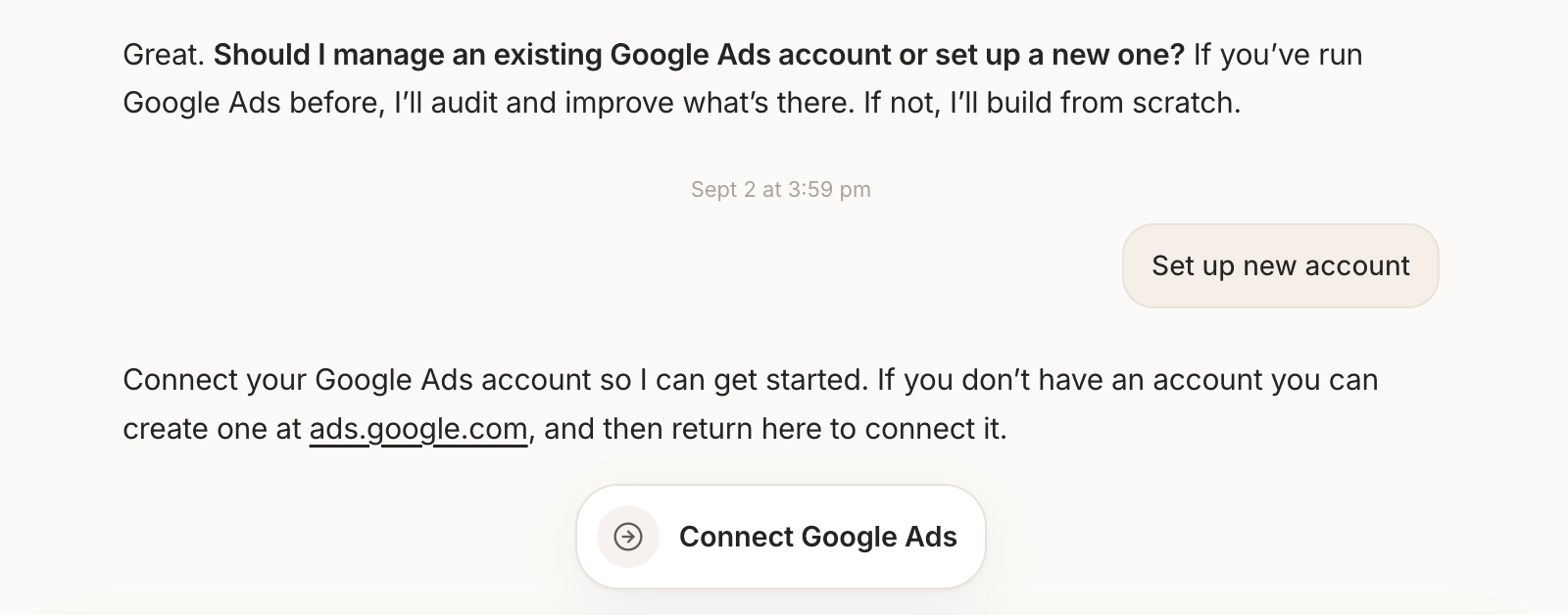
Step 3: Connect your Google Ads account
Betatron needs read and write access to build and optimize campaigns. Before you click connect:
- Sign in with a Google user that has admin rights on the Ads account. View-only users cause most setup problems.
- Confirm billing is active and the account is eligible to serve ads.
- If you use a manager (MCC) account, pick the correct child account. Recommendations tied to the wrong account waste your first week.
Once connected, let the initial sync finish before judging anything. It needs a little time to build your baseline history.
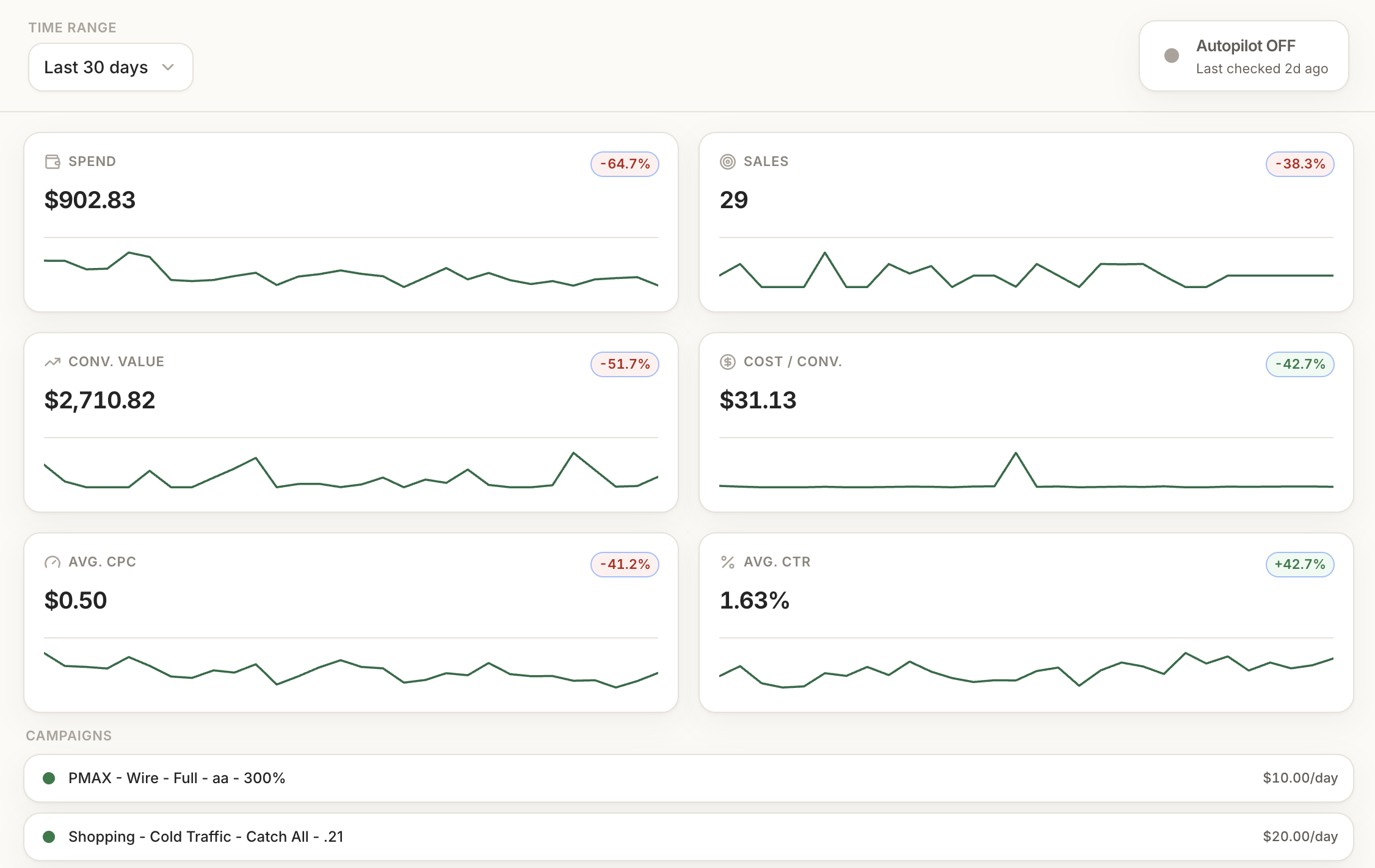
Step 4: Check the metrics panel
Open the metrics panel and confirm spend, clicks, conversions, and campaign trend lines are showing. If conversions are blank, you either have a permissions gap or conversion tracking is not set up properly.
Do not skip this. The agent optimizes toward conversion data. If that data is missing or wrong, everything downstream gets worse. Tell the onboarding chat what you are seeing and it will walk you to the likely cause.
Step 5: Set goals it can actually execute against
Vague goals produce vague campaigns. Give it one primary objective per campaign, then one or two secondary constraints.
For example: maximize booked demos, keep cost per demo under $80, and never spend more than $50 a day. Primary objective, guardrail, hard limit.
Then use the onboarding chat to explain the things a spreadsheet cannot. Which customer types are worth the most long term. Which lead sources look cheap but close badly. Whether your sales capacity is limited. The agent uses this to avoid optimizations that look good in Ads and bad on your P&L.
Step 6: Choose an autonomy level
You can let Betatron run fully on autopilot from day one, or have it ask for approval on bigger moves. Betatron's own guidance is to start with manual approvals for the first couple of weeks so you can see how it reasons, then hand it more control once you trust it.
A sensible path: approve everything at launch, then promote low-risk actions like small budget shifts and keyword cleanup to automatic. Keep large budget moves behind approval until performance settles.
Step 7: Review the build and deploy
Before you go live, look at what it built. Each ad group should represent one clear search intent, and the ad copy should match what your landing pages actually promise. Fix anything that misrepresents your pricing or eligibility.
Set your initial daily budget high enough to generate signal but low enough that early mistakes stay cheap. Then deploy.
Step 8: Watch the first 72 hours, then get out of the way
For the first three days, you are checking health rather than profit. Look for spend spikes, conversion drops, or one campaign eating the whole budget. Note anything odd in the onboarding chat so the agent factors it in.
At the one-week mark, review its recommendations as a batch. Approve the ones that push your primary metric in the right direction and defer the rest. After that, the weekly cycle is where the gap between Betatron and a human opens up. It diagnoses faster, iterates more consistently, and never makes a change based on a hunch.
Once things are stable, switch to full autopilot and stop logging in every day. That was the point.
Get 25% off for life
Betatron is still in beta, which means early pricing and a human at [email protected] who responds within a few hours if you get stuck.
NCF readers get 25% off any plan, for life, with the code NCF at checkout. Start for free at betatron.ai.
Related guides
GPT-6.1 Sol vs Claude Sonnet 5.5: which model for your builds
Two cheap frontier models landed within a week. Here is where each one wins, and how to switch without breaking your automations.
Jev explained simply: when to use it instead of ChatGPT
A plain-English guide to Jev, TypeSafe's new decision model: what it does, the jobs it handles better than an LLM, real examples from the first two weeks, and how to add it to a no-code workflow.
Buzz: The No Code Founders Guide
Block released Buzz on July 21, 2026. It's free, open source, and runs on Mac, Windows, and Linux. Here's what no-code founders need to know.